ZenFile
A native, dependency-light desktop file manager built with the Zenthra UI framework. Browse directories, manage files, and navigate your filesystem with instant, native-speed rendering.
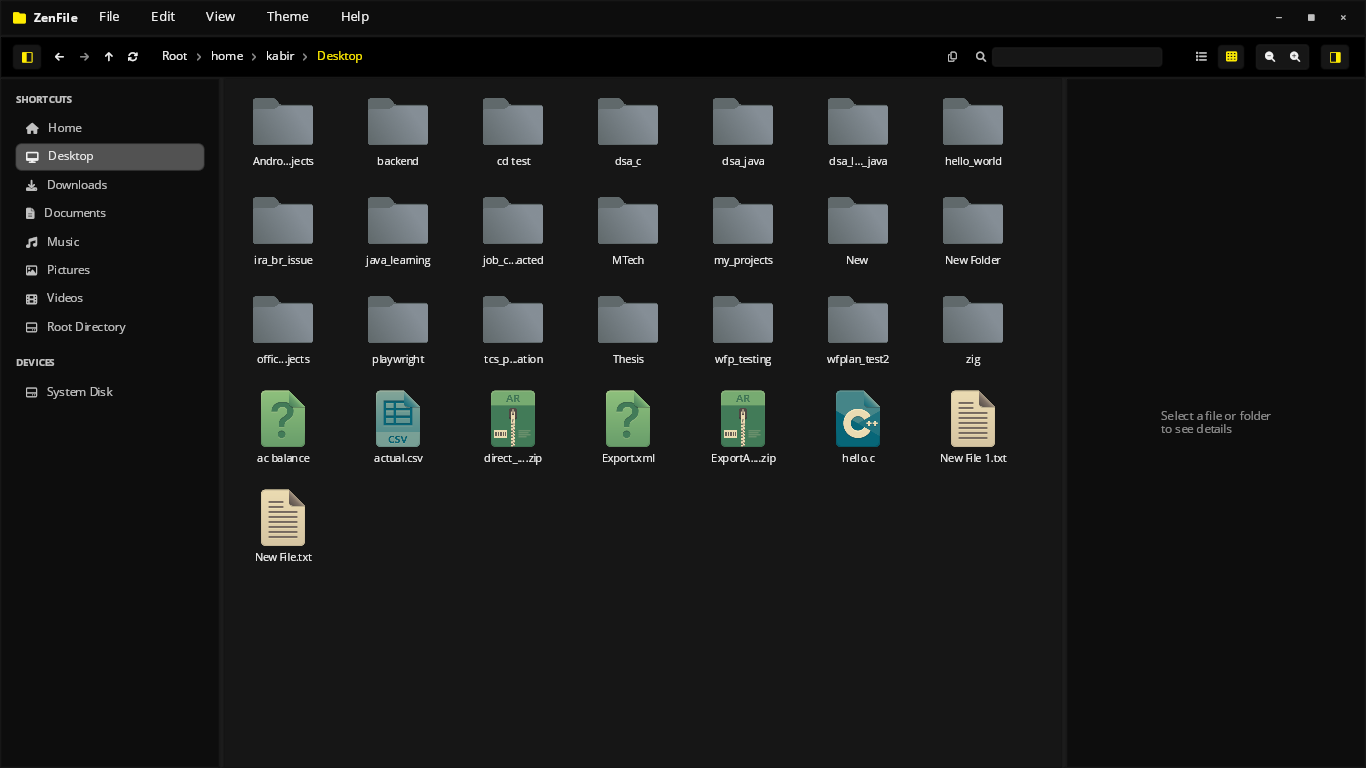
Core Application Strengths
Native Filesystem Access
Reads directories directly from the OS filesystem with no virtualization layer — instant directory listings even on large folders.
Immediate-Mode Layout
Built entirely on the Zenthra widget tree — file lists, sidebars, and toolbars redraw in under 4ms on every interaction.
Cross-Platform Binary
Ships as a single standalone binary for Linux, macOS, and Windows — no runtime installs, no dependencies to configure.
Built on Zenthra's core widgets.
ZenFile demonstrates Zenthra's builder pattern applied to a real, everyday productivity tool — directory trees, file lists, and toolbars composed from the same primitives used across every Zenthra app.
No separate file-system abstraction layer is needed — the application reads directly from disk and renders the result on the next frame.
Application Interface & Deep Dive
Explore the interface, list views, and detail panels in ZenFile, built with real-time immediate rendering layout modules.
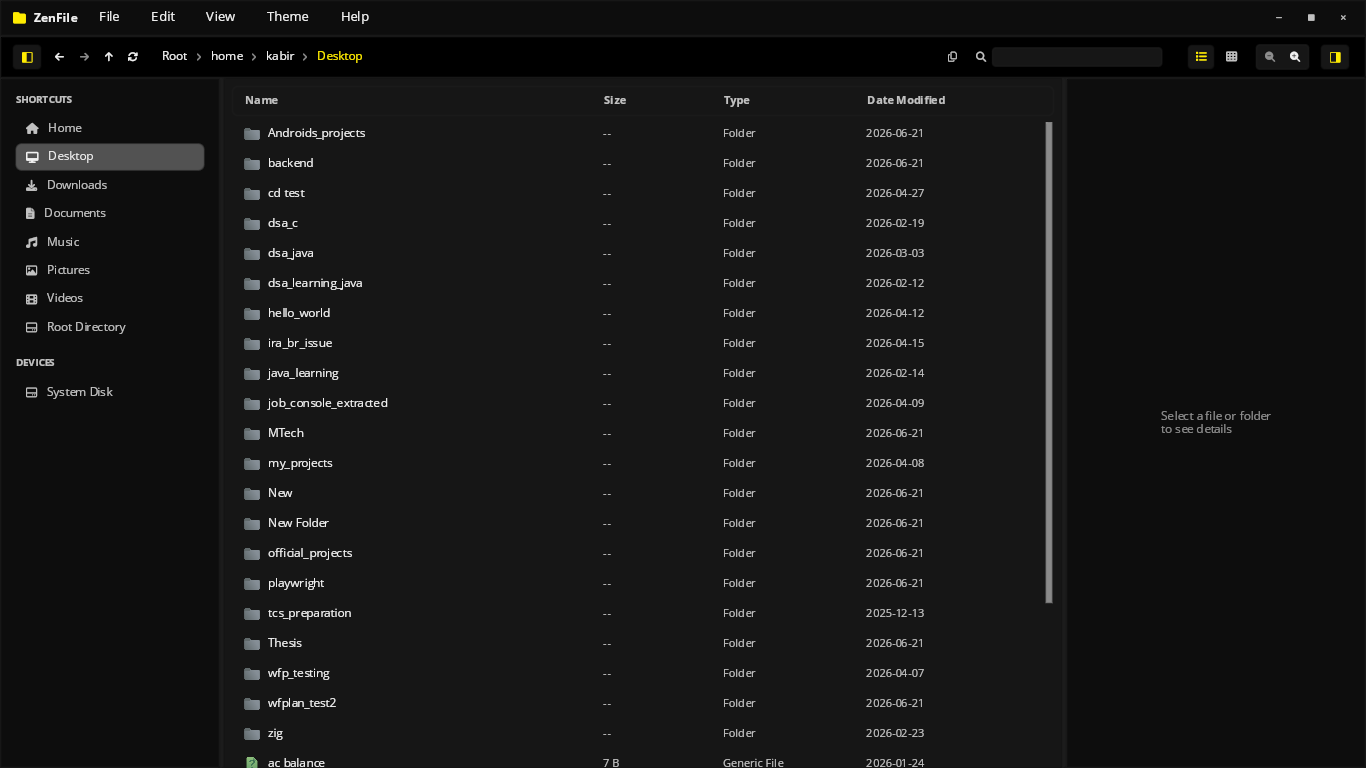
Clean List View
Switch from grid to a dense list view for browsing large directories quickly, with file names, sizes, and types laid out for fast scanning.
- Instant switch between grid and list layouts
- Sortable columns for name, size, and type
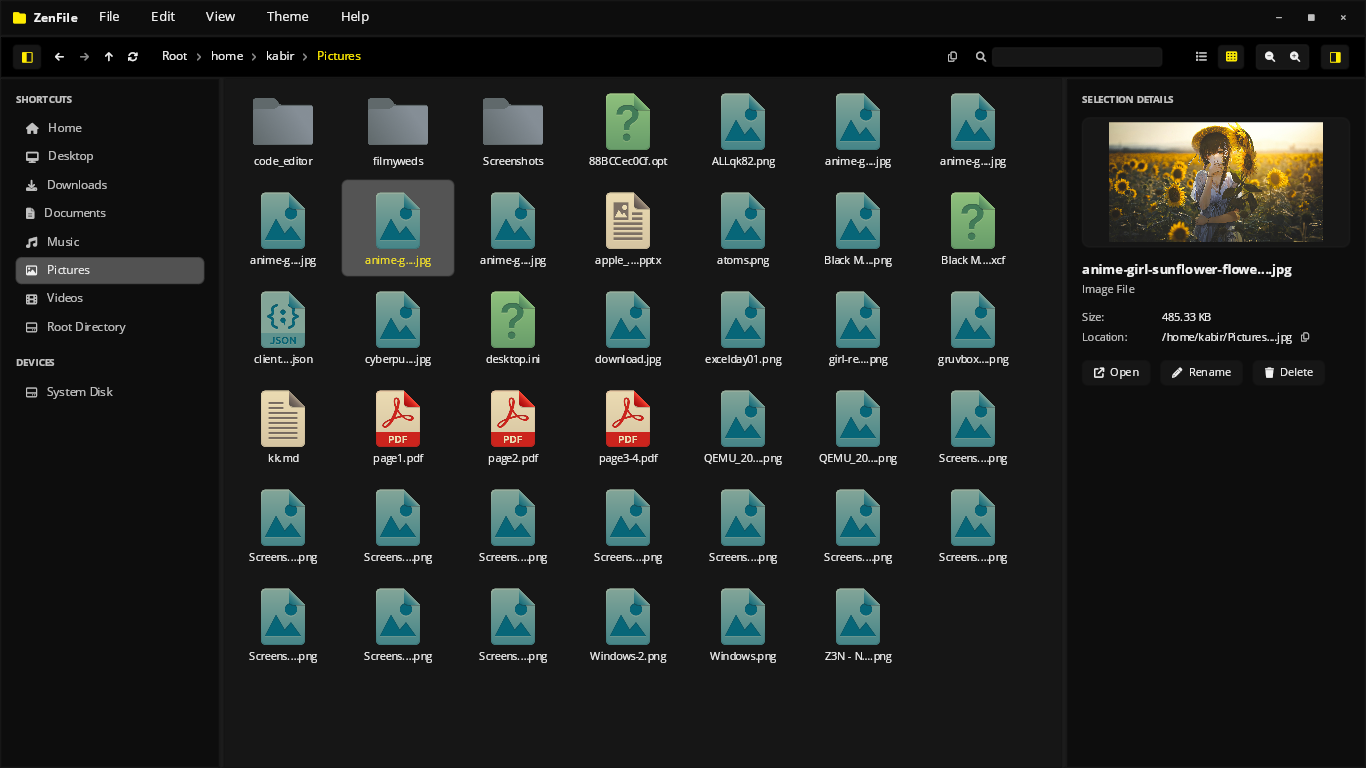
Details & Live Preview Panel
A right-hand panel surfaces file metadata and a live preview without opening a separate window, so you can inspect files while staying in context.
- Inline file metadata inspector
- Live preview pane for supported file types
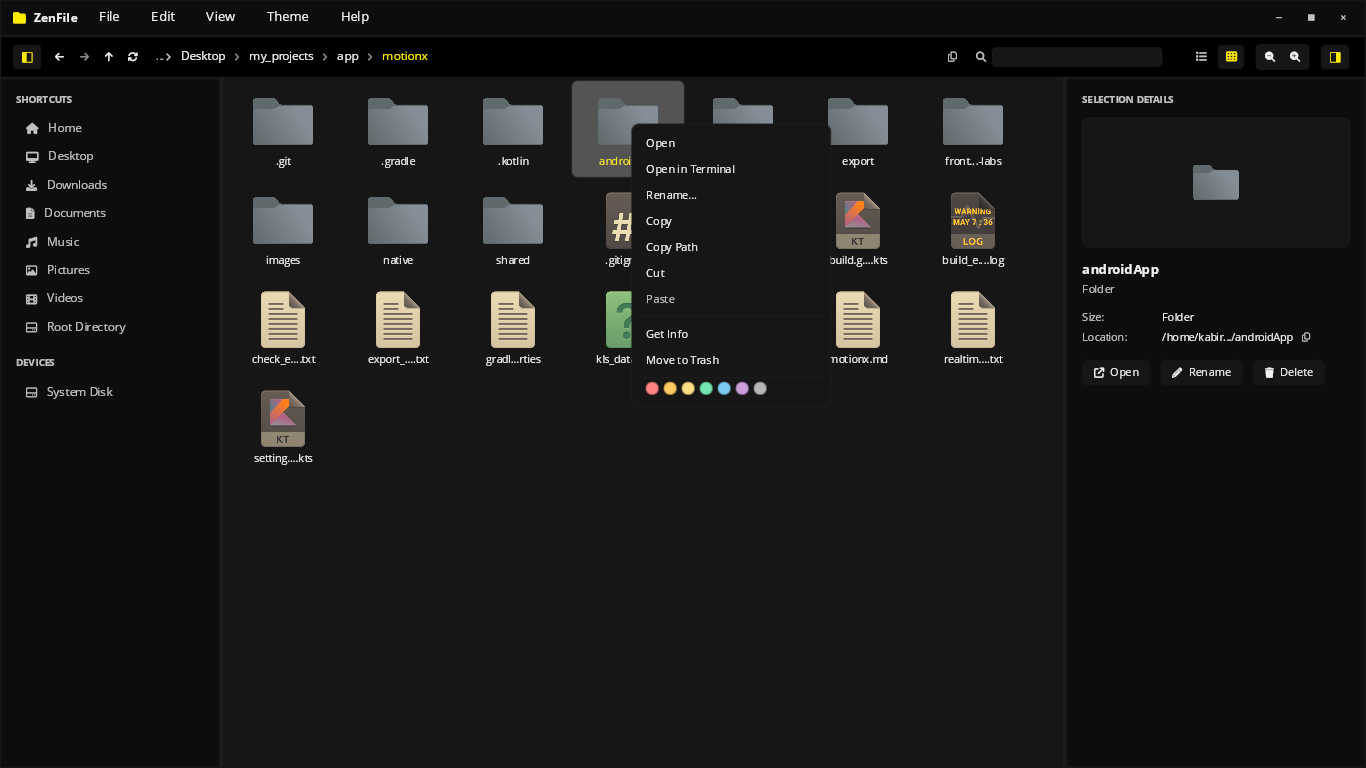
Contextual Right-Click Menu
A fast, native context menu gives quick access to common file operations directly from the grid or list, without breaking flow.
- Native, immediate-mode context menu
- Common file actions one click away
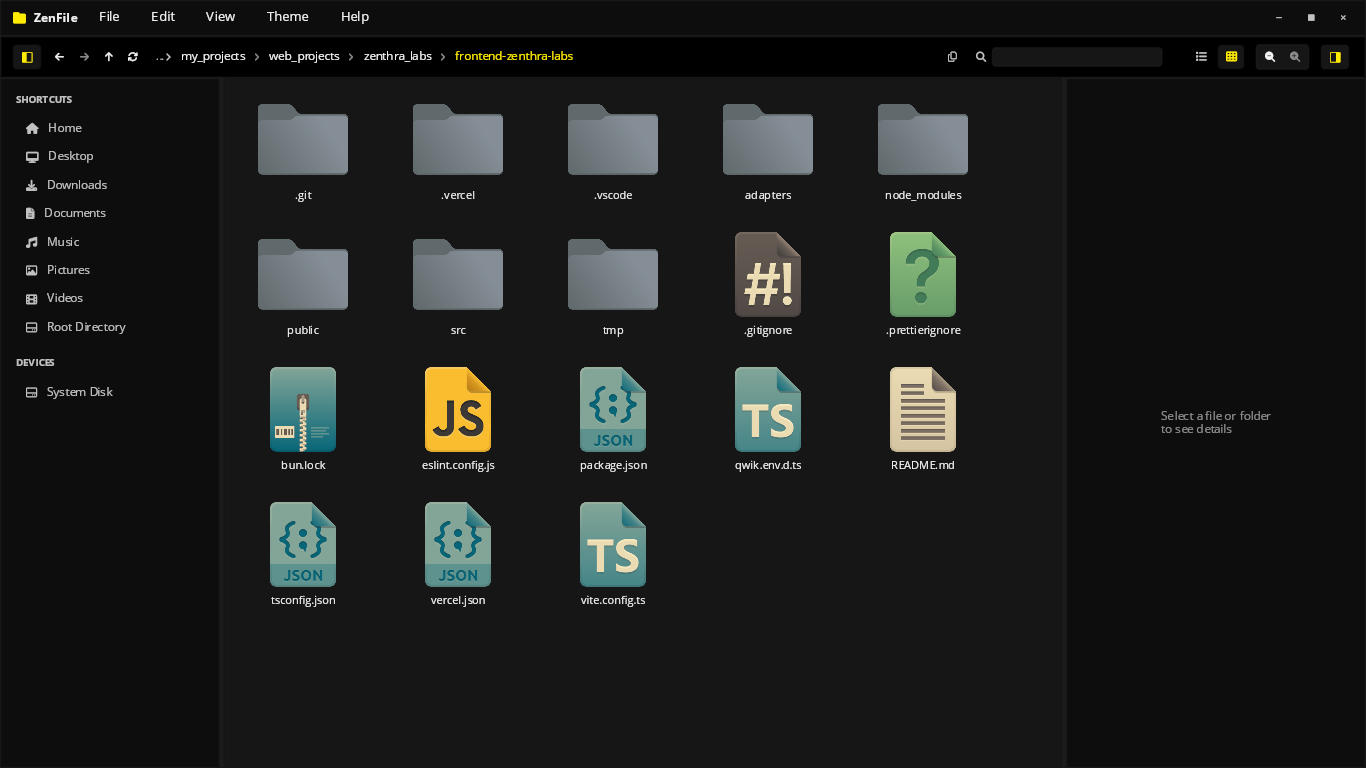
Language-Aware File Icons
Source files are recognized by extension and rendered with distinct icons for popular languages and frameworks, making project folders easy to scan visually.
- Per-language icon recognition
- Instant visual project structure scanning
Multi-Color Folder Labeling
Tag folders with custom colors to organize projects visually at a glance. Click through the stack to browse the available palette.
- Custom color tagging per folder
- Instant visual grouping across the workspace
Multi-Color Highlight
Highlight selected files and folders with a color of your choice for quick visual grouping across the workspace.
- Per-item highlight color selection
- Stands out clearly in both grid and list views
Build native apps like this.
ZenFile is open source. Study its implementation pattern on GitHub.