Zenthree
A high-performance, lightweight, and modern code editor engineered in Rust on the Zenthra GUI framework. Delivers instant startup, Tree-sitter semantic syntax, native embedded terminal, and an integrated AI assistant sidecar with zero sRGB gamma washout.
Engineering Highlights
Every subsystem is built with native Rust performance in mind — zero Electron memory bloat, instant keystroke feedback, and GPU-driven rendering.
Tree-sitter Syntax Highlighting
Full AST-based semantic analysis for Rust, TypeScript, Python, and more. Accurately highlights complex language constructs, types, and scopes.
Native Embedded PTY Terminal
Complete pseudo-terminal powered by `portable-pty`. Direct inline prompt (`❯ command█`), command history, Ctrl+C interrupt, and smooth split-panel resizing.
AI Assistant & Review Bar
Integrated AI sidecar with thought stream separation and a space-saving diff review bar with compact `+N`/`-M` pills, 1-click jumps, and Accept/Reject all.
Minimal Zed-Style File Explorer
Clean file tree with sub-pixel alignment, Git status indicators (Modified `M`, Untracked `U`), toolbar quick actions, and multiple display styles.
Frosted Glass & True Color
Dual-Kawase GPU blur and OS compositor integration. Linear swapchain presentation avoids sRGB double-gamma washouts, preserving rich vibrant dark palettes.
Git Graph & Extensions
Dedicated Git staging interface, commit graph visualizer, and in-editor extension management for grammar registries without restarting.
Workspace Interface & Tools
Take a tour of Zenthree's workspaces, layout paradigms, and native tooling in action.
Frosted Glassmorphism & True Color
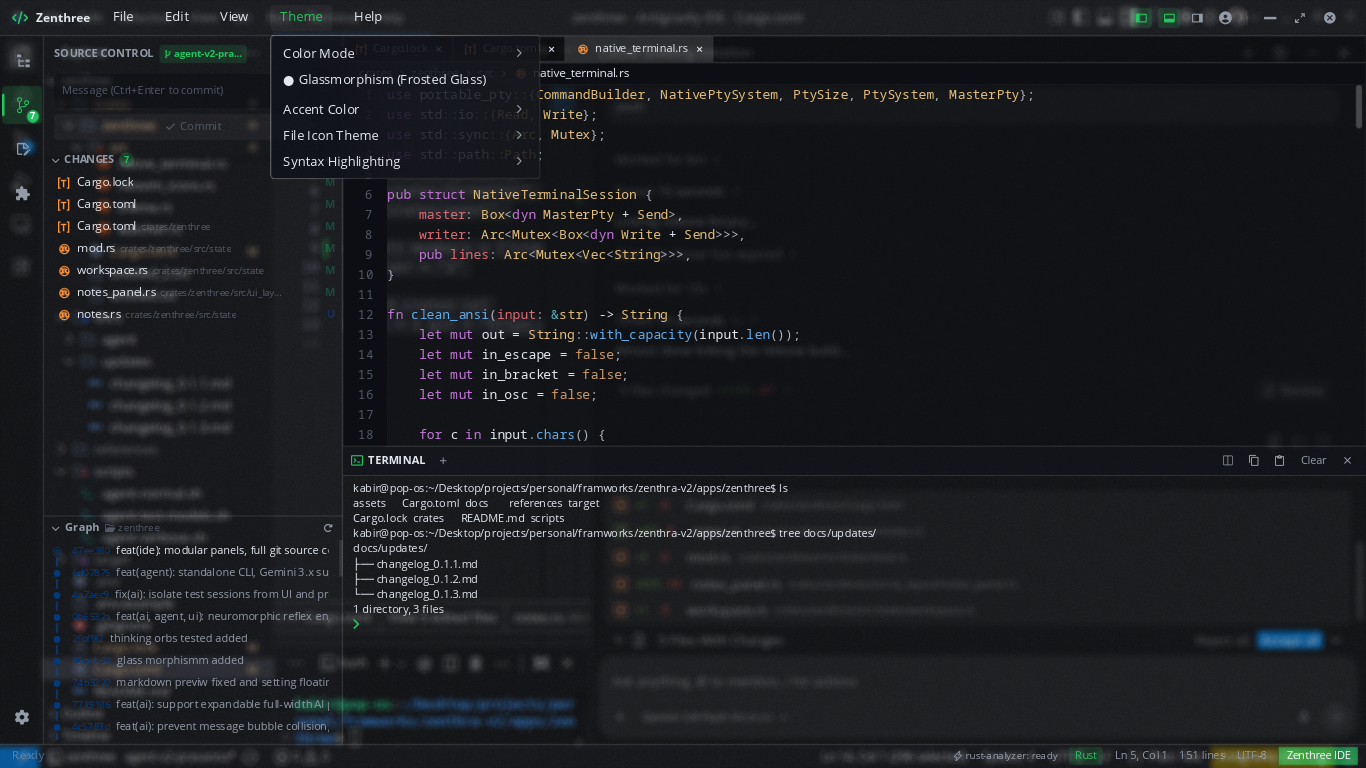
Native window blur requested directly through your OS compositor (Wayland, COSMIC, KDE, Windows DWM) paired with internal GPU Dual-Kawase blur for cards, dialogs, and popovers.
- Linear swapchain presentation avoids sRGB gamma washout
- 9 vivid accent palettes with one-click theme switcher
- Adjustable surface opacity and blur radius in real time
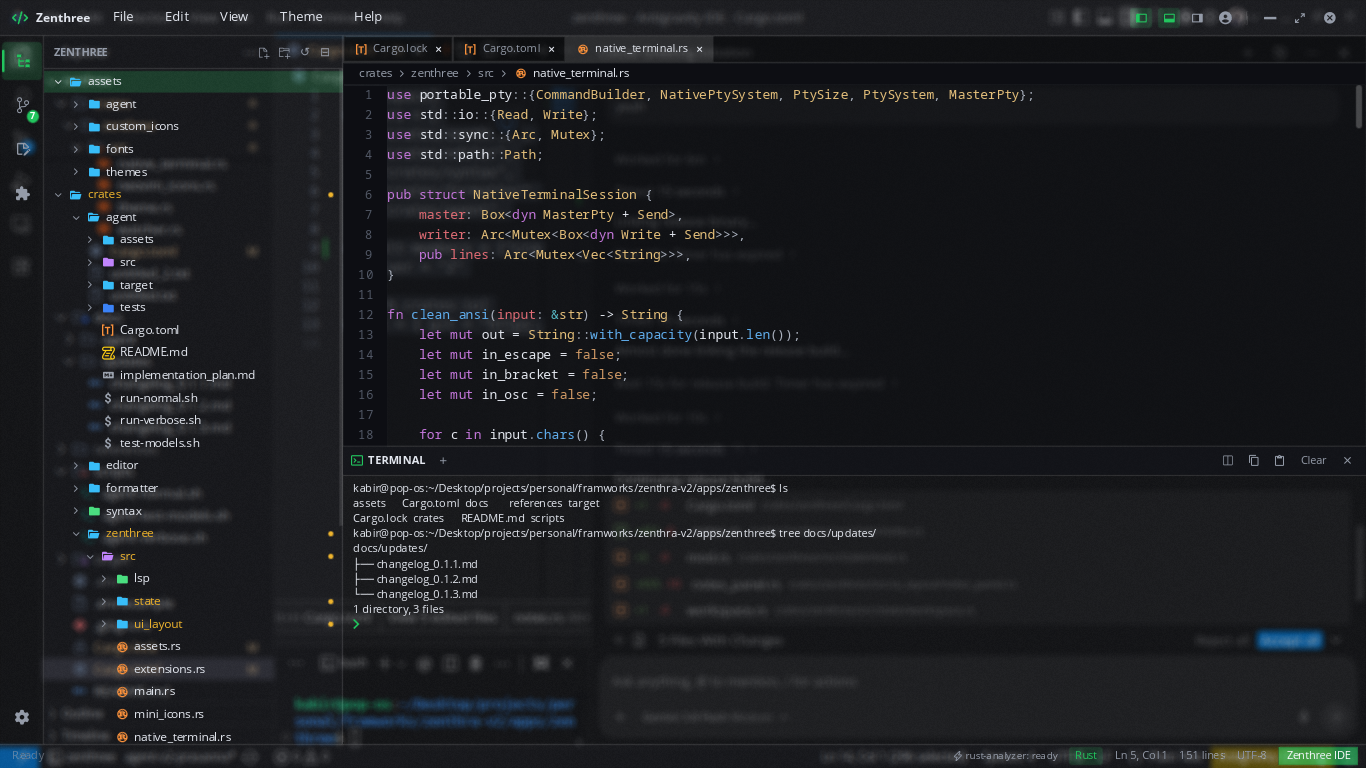
Minimalist Tree & Embedded PTY Shell
Browse complex repositories with sub-pixel icon alignment, Git modification dots, and a fully interactive pseudo-terminal running your native shell (`bash`, `zsh`, `fish`, or `pwsh`).
- Direct console prompt with animated blinking block cursor
- History navigation, tab-completion, and Ctrl+C interrupt
- Smooth draggable split-panel height resizing
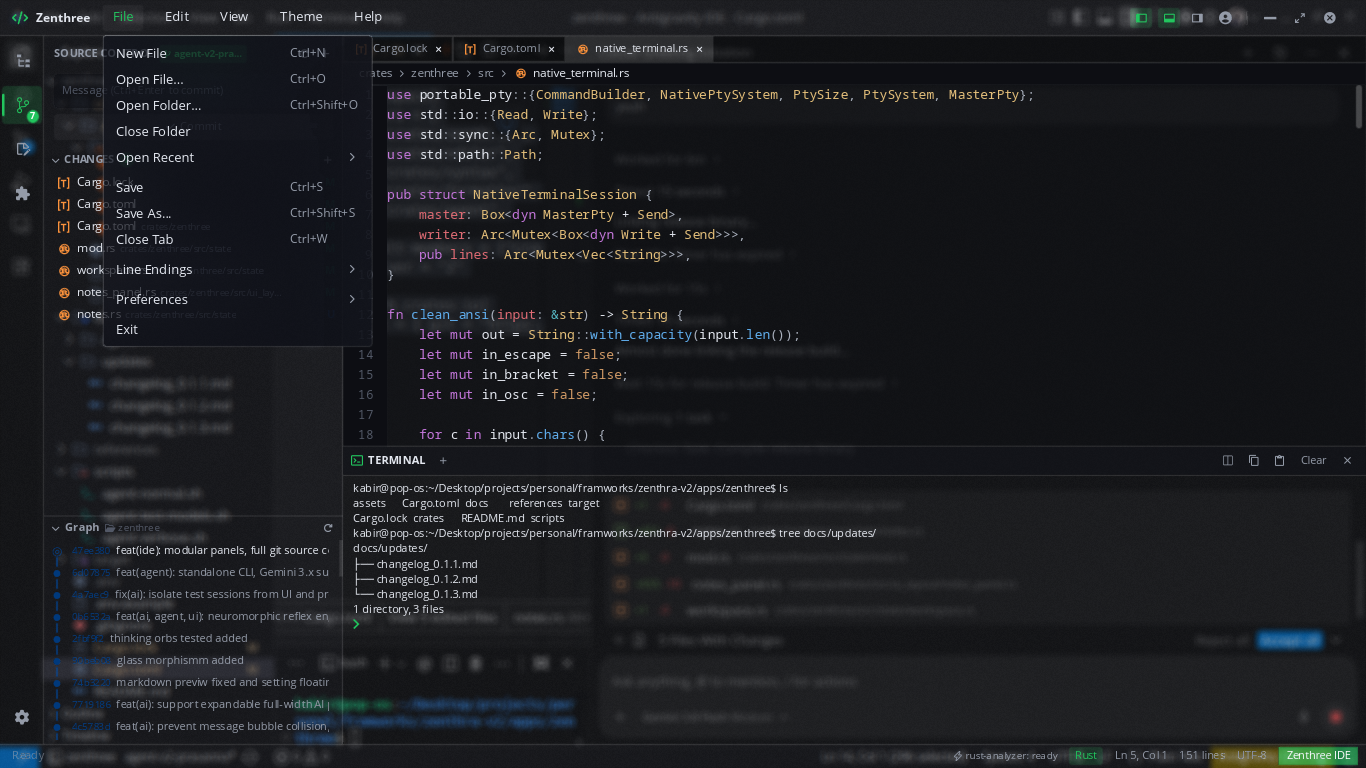
Git Integration & Visual Commit Graph
Inspect staged, modified (`M`), and untracked (`U`) files directly from the sidebar. Review commit histories with an interactive multi-branch graph showing commit SHAs and author logs.
- Single-click commit staging and commit message input
- Visual branch commit graph with colored node trajectories
- Native file menu with quick access to recent projects and files
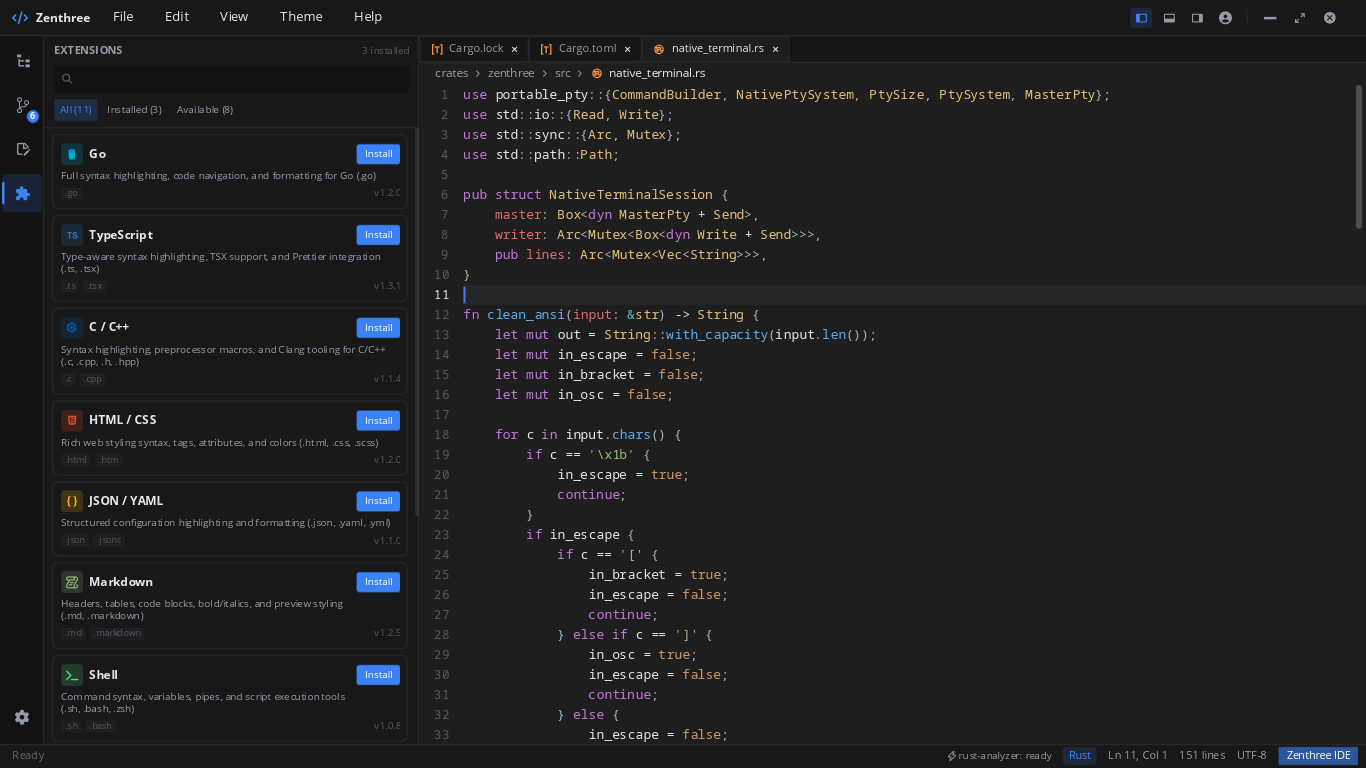
Language Extensions Store
Instant installation of syntax grammars, formatters, and language servers for Go, TypeScript, C/C++, HTML/CSS, JSON/YAML, Markdown, and Shell.
- Automatic prompting when opening unconfigured file extensions
- One-click Install / Uninstall with zero editor restarts
- Categorized view tabs: All, Installed, and Available
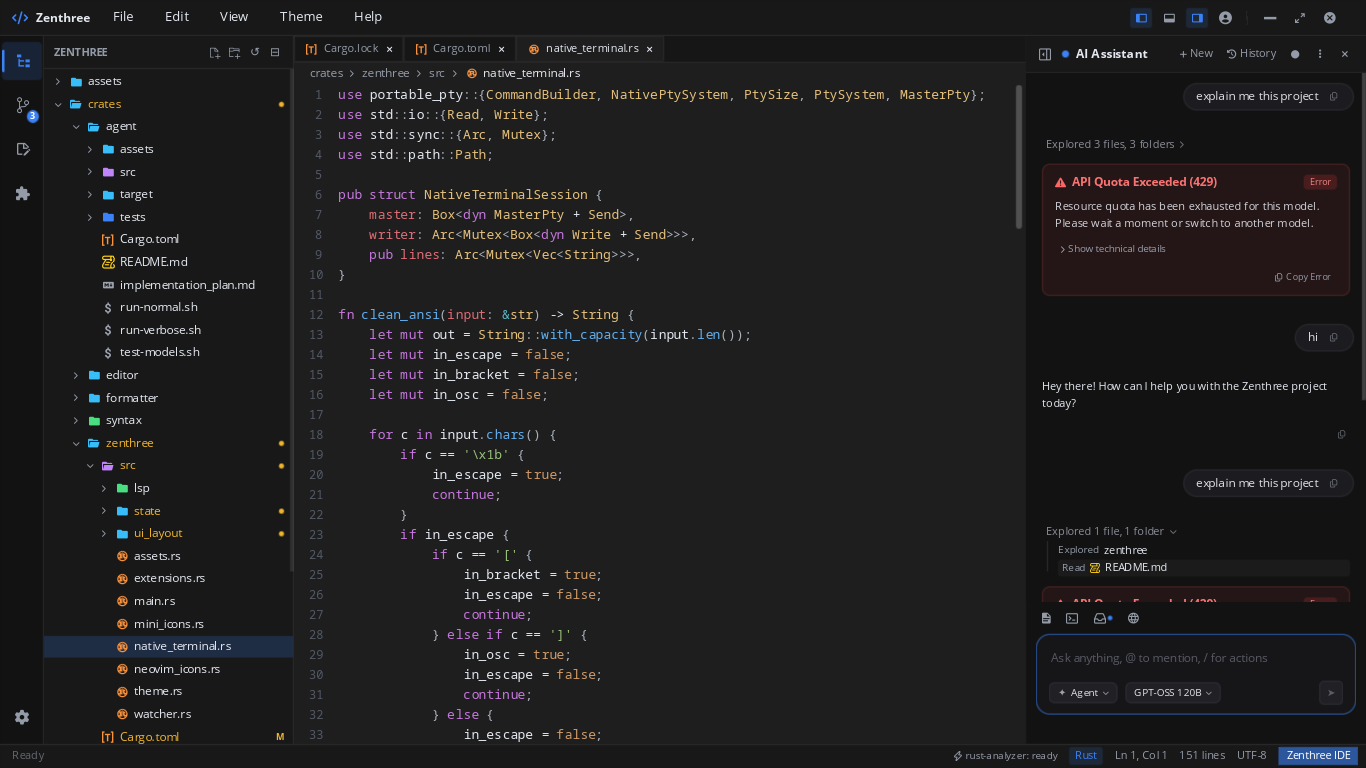
Integrated AI Companion & Models
Ask questions, refactor functions, or explore entire workspaces with real-time thought streams, file context inspection, and model orchestration (Gemini, GPT-OSS, local LLMs).
- Exploration trajectories showing analyzed files & folders
- Compact unified diff review bar with 1-click Accept / Reject all
- Bring your own API key with custom token budget controls
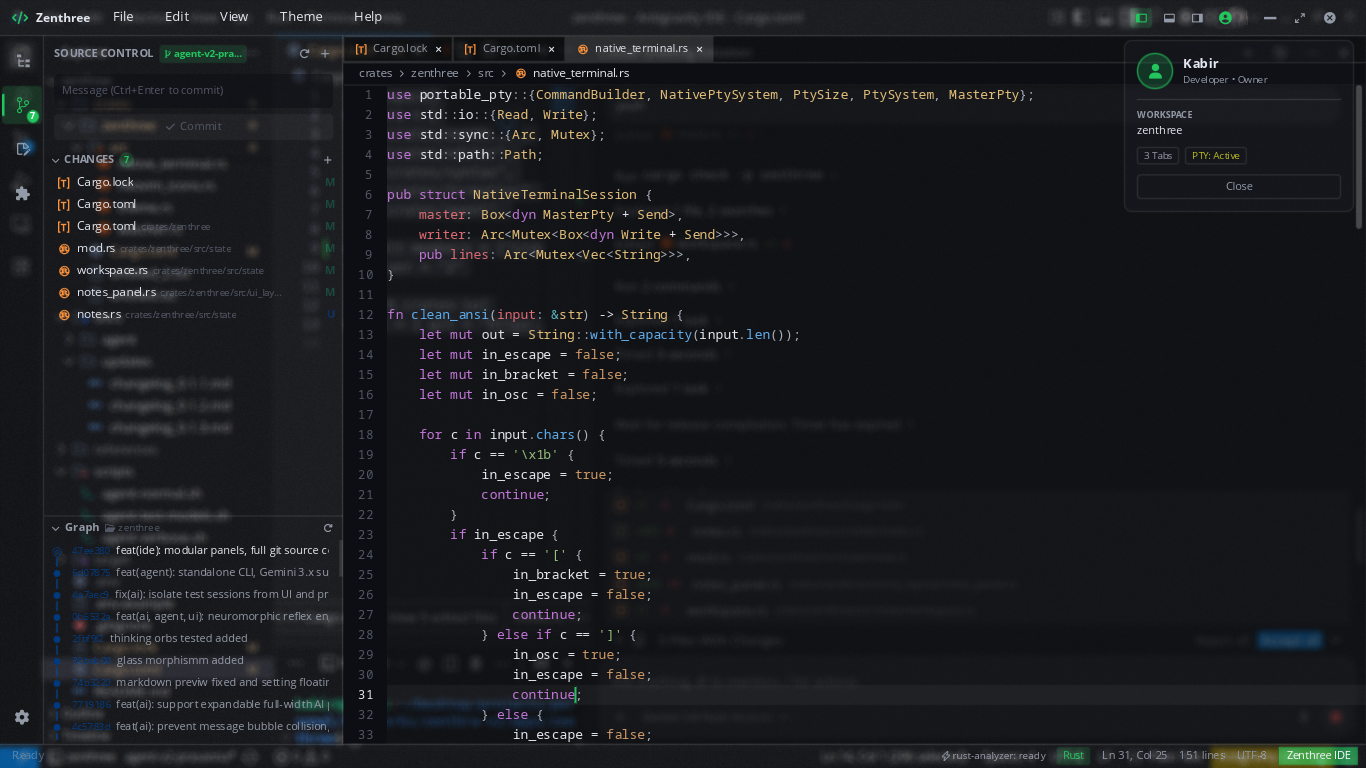
Workspace Profiles & Session Management
Quickly view active session diagnostics, open buffer tabs, PTY status, and developer identity. Seamlessly switch between projects without state loss.
- Real-time session diagnostics and active terminal counter
- Workspace isolation across tabs, buffers, and AI sessions
- Instant project switching with persistent layout state
Clean, Modular Cargo Workspace
Zenthree is architected as four distinct, decoupled Rust crates inside a single Cargo workspace, keeping rendering, text editing, syntax parsing, and formatting orthogonal and maintainable.
Essential Keyboard Shortcuts
Experience the speed of a native Rust editor.
Zenthree is free and open-source under the MIT license. Download the standalone desktop binary or build it directly with Cargo.